

The HubSpot Data Hygiene Cheat Sheet: Everything RevOps Needs in One Place
One-page HubSpot data hygiene reference: 6 quality dimensions, object-level best practices, maturity model, 30-day quick wins, and governance playbook.

Peter Sterkenburg
HubSpot Solutions Architect & Revenue Operations expert. 20+ years B2B SaaS experience. Founder of NordScope.
Why data hygiene matters
You already know it matters. Here's what it costs when you ignore it:
| Stat | Source |
|---|---|
| 53% of sales teams report poor CRM data quality | Gartner, State of Sales Operations |
| 550 hours wasted per sales rep annually chasing missing information | IndustrySelect |
| 79% of CRM data entered by reps is inaccurate or incomplete | ESNA |
Those numbers compound. Poor data quality wastes time and leaks revenue through orphan records nobody works, broken associations that drop handoffs, and reports nobody trusts. A CRM health score gives you the composite number. This cheat sheet gives you the breakdown.
The 6 data quality dimensions
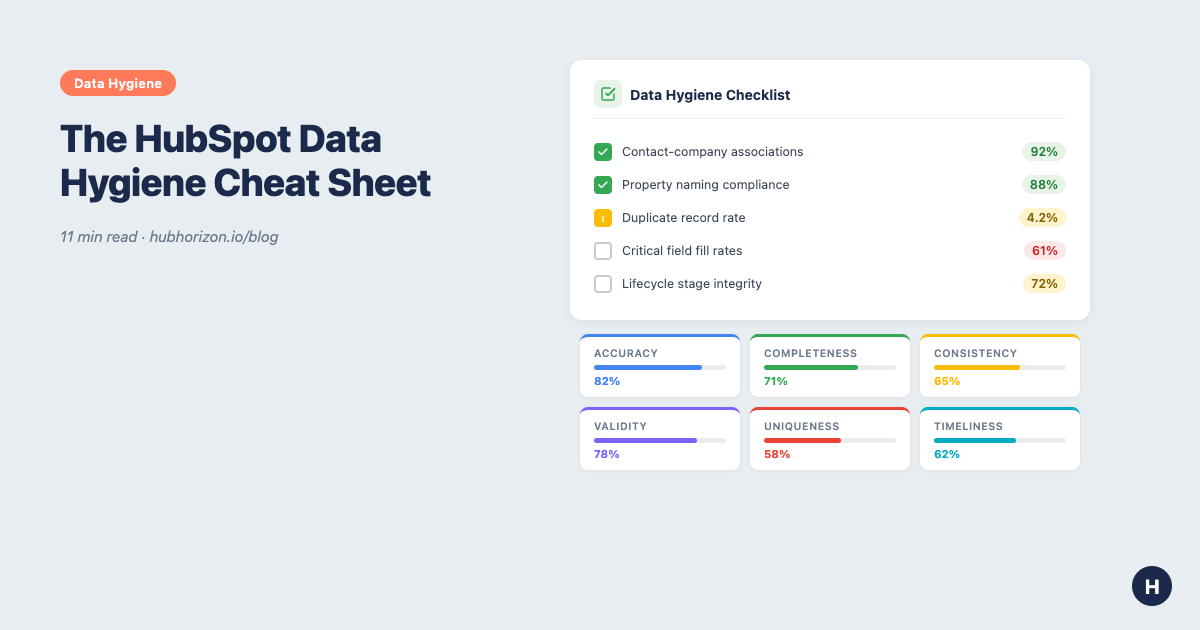
Every data hygiene problem maps to one of six measurable dimensions. This framework replaces "our data is bad" with specific, fixable categories:
| Dimension | What it measures | Benchmark |
|---|---|---|
| Accuracy | Does data match reality? | <5% cross-field conflicts |
| Completeness | Are critical fields populated? | >85% fill rate on business-critical fields |
| Consistency | Does the same data match across records? | <5% cross-object contradictions |
| Validity | Does data follow defined formats? | >95% format compliance |
| Uniqueness | Are there duplicates? | <3% duplicate rate |
| Timeliness | Is data current? | >60% updated quarterly |
HubSpot examples for each dimension
- Accuracy: Job titles that reflect current roles, deal amounts that match proposals
- Completeness: Contacts with email, job title; deals with amount and close date
- Consistency: Lifecycle stage aligns with deal stage; contact company matches associated company
- Validity: Phone numbers in consistent format; numbers stored as numbers, not text
- Uniqueness: One record per real-world entity across contacts, companies, deals
- Timeliness: Records updated within 90 days; no deals with close dates six months past
Governance sits above these dimensions: the policies and processes that keep them healthy. Integrity sits between, in the validation rules and automation that enforce governance. The dimensions are the measurable result. For how to score each dimension, see the data quality dimensions guide.
Key objects: hygiene best practices
HubSpot has no separate "Leads" object. Contacts carry lifecycle stages instead. That simplifies some things and complicates others. Here's what hygiene looks like per object:
Contacts & Companies
| Object | Key hygiene rules |
|---|---|
| Contacts | Enforce email format validation. Require lifecycle stage on creation. Merge duplicates periodically. Use progressive profiling. Auto-associate to companies. |
| Companies | Consistent naming conventions ("Acme Inc." vs "ACME Corporation", pick one). Standardise industry codes with dropdowns. Integrate enrichment tools. |
Deals & Tickets
| Object | Key hygiene rules |
|---|---|
| Deals | Clear stage definitions + required fields per stage. Automate prompts for activity gaps. Associate every deal with at least one contact and one company. |
| Tickets | Structured creation templates. Automated assignment and follow-up. Associate tickets with contacts for customer history. |
Custom objects, Activities & Campaigns
| Object | Key hygiene rules |
|---|---|
| Custom objects | Strict field requirements per purpose. Quarterly review. Document thoroughly: first thing new team members misunderstand. |
| Activities | Connected inbox + meetings tool for auto-logging. Review for integration duplicates. Link to deals, not just contacts. |
| Campaigns | Naming conventions (e.g., YYYY-MM_Channel_Name). Automate associations. Archive inactive campaigns. |
For a deeper look at how broken associations fracture these objects, see Your HubSpot Portal Is Not a Source of Truth.
8 common challenges and HubSpot-native solutions
Data capture gaps (1-3)
| # | Challenge | HubSpot solution |
|---|---|---|
| 1 | Missing activity tracking | Enable connected inbox + meetings tool. HubSpot Sales Extension for one-click logging. |
| 2 | Data decay | Breeze Intelligence or third-party enrichment. Workflow to flag 12+ months inactive. |
| 3 | Inconsistent qualification | Document lifecycle stage definitions. Lead scoring with explicit thresholds. Required properties per stage. |
Why data decay is the silent killer
Contacts change roles, companies get acquired, phone numbers go stale. Without enrichment, your database ages at roughly 30% per year. Set up workflows to flag contacts with no activity in 12+ months. Run re-engagement campaigns before archiving. Some of those "stale" contacts just need a nudge.
Data quality issues (4-6)
| # | Challenge | HubSpot solution |
|---|---|---|
| 4 | Duplicates | Native duplicate management. Operations Hub data quality automation. Import rules that check for existing records. |
| 5 | Reps not updating CRM | Minimise required fields. HubSpot Playbooks for guided updates. Mobile app. Automate stage updates from activities. |
| 6 | Unstructured data entry | Dropdowns and radio selects over free text. Operations Hub to standardise on entry. Consistent picklist values. |
Structural problems (7-8)
| # | Challenge | HubSpot solution |
|---|---|---|
| 7 | Property sprawl | Naming conventions and quarterly audits. Approval process. Archive below 5% fill rate. The average portal has 300-500 custom properties, but only 30-40% are actively used. That's addition bias. |
| 8 | Multiple systems of record | Treat HubSpot as the lens, not the source. Clear field mapping. Consolidate overlapping integrations. Document authoritative system per data type. |
Most of these challenges compound as technical debt if left unaddressed. Fix the process that creates the problem, not just the symptoms.
Data capture maturity model
Where does your portal sit? This four-level model adapts the RevOps maturity framework to data capture specifically:
| Level | Name | Key signal | HubSpot features |
|---|---|---|---|
| 1 | Basic | Reps enter what they feel like entering | Forms, basic contact/deal creation |
| 2 | Structured | Required fields + basic validation | Required fields, dropdowns, simple workflows |
| 3 | Intelligent | Automation replaces human discipline | Operations Hub, Breeze Intelligence, data quality automation |
| 4 | Optimised | Data quality is monitored, not maintained | Predictive scoring, Breeze Copilot, AI readiness above 70% |
Quick wins: your first 30 days
If you're starting from scratch or restarting after neglect, do these in order. Each fix makes the next one easier:
Week 1: Foundations
Fix contact-to-company associations. In every portal I analyse, 15-40% of contacts are orphaned. Fix this first. It has the highest revenue impact per fix.
Run HubSpot's duplicate management tool. Merge obvious duplicates across contacts and companies. Set a baseline duplicate rate so you can track improvement.
Week 2: Properties
Audit custom properties. Export your property list. Flag everything below 10% fill rate that isn't used in an active workflow or report. Move to a "Deprecated" group. Don't delete yet, just separate. For the full methodology, see the property hygiene guide.
Enforce naming conventions. Pick a standard (snake_case, category prefixes, whatever works for your team). Apply it to new properties immediately. Retrofit existing properties over time.
Week 3: Process gates
Set required fields at key lifecycle transitions. "Closed Won" needs an amount and close date. "SQL" needs a company association. Don't over-require, pick 3-5 fields per stage.
Enable connected inbox. If your team isn't using it, you're missing activity data. Set it up, train on it, make it the default.
Week 4: Measurement
Build a data quality dashboard. Track: duplicate rate, property fill rates on critical fields, orphan contact percentage, records updated in last 90 days. Review monthly. Your data quality score gives you the baseline.
Schedule a quarterly audit. Put it in the calendar. Assign an owner. Use the 10-area audit checklist or automate it.
Technical implementation tips
Workflow automation recipes
- Build lifecycle stage progression workflows that enforce logical transitions (Subscriber → Lead → MQL → SQL → Opportunity → Customer)
- Create alert workflows for overdue updates: deals stuck in a stage for 30+ days, contacts in MQL for 14+ days with no activity
- Auto-assign leads based on company properties (territory, size, industry)
- Trigger renewal tasks automatically when a deal reaches "Closed Won"
Validation and required fields
- Require critical fields at stage gates, not at record creation (e.g., Stage = "Closed Won" requires Amount and Close Date)
- Use format validation on email and phone fields
- Set minimum and maximum values on numerical fields
- Implement de-duplication checks during imports (match on email, domain, or company name)
Standardised inputs
- Use dropdowns and radio selects instead of free text for any field you'll filter, segment, or report on
- Apply Operations Hub data quality automation to standardise capitalisation, trim whitespace, and format phone numbers on entry
- Enforce naming conventions for campaign names, deal names, and company names
- Document standards in a central location accessible to all HubSpot users
Integration hygiene
- Map fields explicitly when connecting tools, rather than relying on "auto-mapping" defaults
- Schedule regular sync checks to catch mapping drift
- Monitor integration logs for errors and data conflicts
- Document which system is authoritative for each shared field
- Consolidate overlapping tools that create duplicate records (e.g., two tools both logging the same meeting)
Governance and audit rhythm
Data quality degrades by default. Governance is the counterforce.
Quarterly health check
- Completeness audit: fill rates on critical properties across objects
- Accuracy verification: cross-field validation (lifecycle stage vs deal status)
- Duplicate identification: run dedup tool, calculate rate, compare to last quarter
- Outdated record removal: flag contacts with no activity in 12+ months
- Orphan records: contacts without companies, deals without contacts
- Property audit: review new properties, check descriptions, verify naming
Property audit deep dive
- Review every property created this quarter. Does it have a description? Does it follow naming conventions?
- Remove or archive unused fields below 5% fill rate
- Annotate properties with descriptions and owner information
- Cross-reference with the property hygiene guide for the full checklist
Ownership model
- Data steward: One person (RevOps manager, HubSpot admin) owns the governance process: quarterly audits, documentation, training.
- Property request process: Require approval before creating custom properties. A 30-second form (purpose, data source, expected usage) prevents 80% of future sprawl.
- Team accountability: Track data quality metrics per team. Share results. Recognise improvement.
Data compliance
Data hygiene and data compliance overlap but aren't identical. Clean data makes compliance easier.
Compliance essentials
- GDPR/CCPA: Consent management for marketing communications. Data retention policies that delete records you're not legally entitled to keep. Right-to-erasure processes that actually work.
- Privacy-first design: Collect only what you need. Provide clear opt-out mechanisms. Store data securely. Audit access permissions regularly.
- Documentation: Record what data you collect, why, and how long you keep it. This is a governance artefact. If your data steward maintains it, compliance reviews get simpler.
Automate the audit
Everything above can be done manually. Export properties, pull reports, cross-reference spreadsheets, calculate fill rates by hand. It works. It takes 40-60 hours per quarter for a portal with 200+ custom properties.
PortalPilot automates the diagnostic layer. Connect your portal and get:
- Property health scoring: naming compliance, documentation coverage, fill rates, duplicate detection across all objects
- Association coverage analysis: orphan records, contact-to-company mapping, deal association quality
- Data decay monitoring: staleness tracking, zombie property detection, data freshness scores
- AI readiness assessment: whether your data structure supports Breeze AI features
- Prioritised recommendations: problems ranked by business impact, not alphabetical order
The analysis runs in minutes. You spend your time fixing problems, not finding them.
Frequently Asked Questions
What are the six data quality dimensions for HubSpot?
The six measurable dimensions are accuracy, completeness, consistency, validity, uniqueness, and timeliness. Each maps to specific HubSpot problems: accuracy covers cross-field conflicts, completeness measures fill rates on critical properties, consistency checks cross-object contradictions, validity tracks format compliance, uniqueness monitors duplicates, and timeliness flags stale records.
How often should I audit my HubSpot data?
Run a comprehensive data quality audit quarterly, with automated monitoring between audits. Quarterly cadence catches seasonal drift and new-hire data entry problems before they compound. Between audits, track key metrics like duplicate rate, orphan contact percentage, and critical property fill rates monthly using dashboards or automated tools like PortalPilot.
What is a good CRM data quality score?
A health score above 80 indicates well-maintained data with minor gaps. Scores between 60-80 mean directionally sound data with fixable problems. Below 60 signals structural issues that affect reporting reliability and AI readiness. Most portals I analyse score between 45-65 on their first assessment, with the biggest gaps in association completeness and property hygiene.
How do I reduce property sprawl in HubSpot?
Start by auditing every custom property for usage: check fill rates, workflow references, form usage, and report dependencies. Archive properties below 5% fill rate that aren't used in active workflows. Implement a property request process requiring approval before creation. Enforce naming conventions on all new properties. The average portal has 300-500 custom properties, but only 30-40% are actively used.
What is the fastest way to improve HubSpot data quality?
Fix contact-to-company associations first. In most portals, 15-40% of contacts are orphaned, and this has the highest revenue impact per fix. Then merge obvious duplicates, audit unused properties, and enforce required fields at key lifecycle stage transitions. These four actions in sequence typically improve a portal's health score by 10-20 points within 30 days.
Get your free HubSpot data hygiene analysis at portalpilot.io. Connect your portal in 30 seconds, see per-dimension scores in under 5 minutes. No credit card required. View pricing plans for continuous monitoring, quarterly trend tracking, and exportable audit reports.
Peter Sterkenburg is the founder of PortalPilot, a HubSpot portal health and optimisation platform. He's spent years in scale-up RevOps, building the systems, fighting the fires, and eventually building the tool he wished he'd had.
Related articles
Your Enterprise HubSpot portal has a data governance problem: here's how to fix it
Enterprise HubSpot portals accumulate data fast but most teams have no retention policies, no deletion audit trail, and no compliance framework. A practical guide for RevOps teams.
Read articleYour HubSpot AI Governance Problem Is Actually a Data Quality Problem
AI governance frameworks assume you have a policy team. For HubSpot RevOps, data quality governance is the AI governance that actually works.
Read articleHubSpot AI Readiness Scoring: What It Measures and Why It Matters
How HubSpot AI readiness scores work: the 6-component framework, 5 maturity levels, and what your score means for Breeze AI.
Read article